
How to edit a bot's instructions
Goal
Change how one of your custom bots behaves by editing its instructions.
Quick path
Open the bot in Bot Builder.
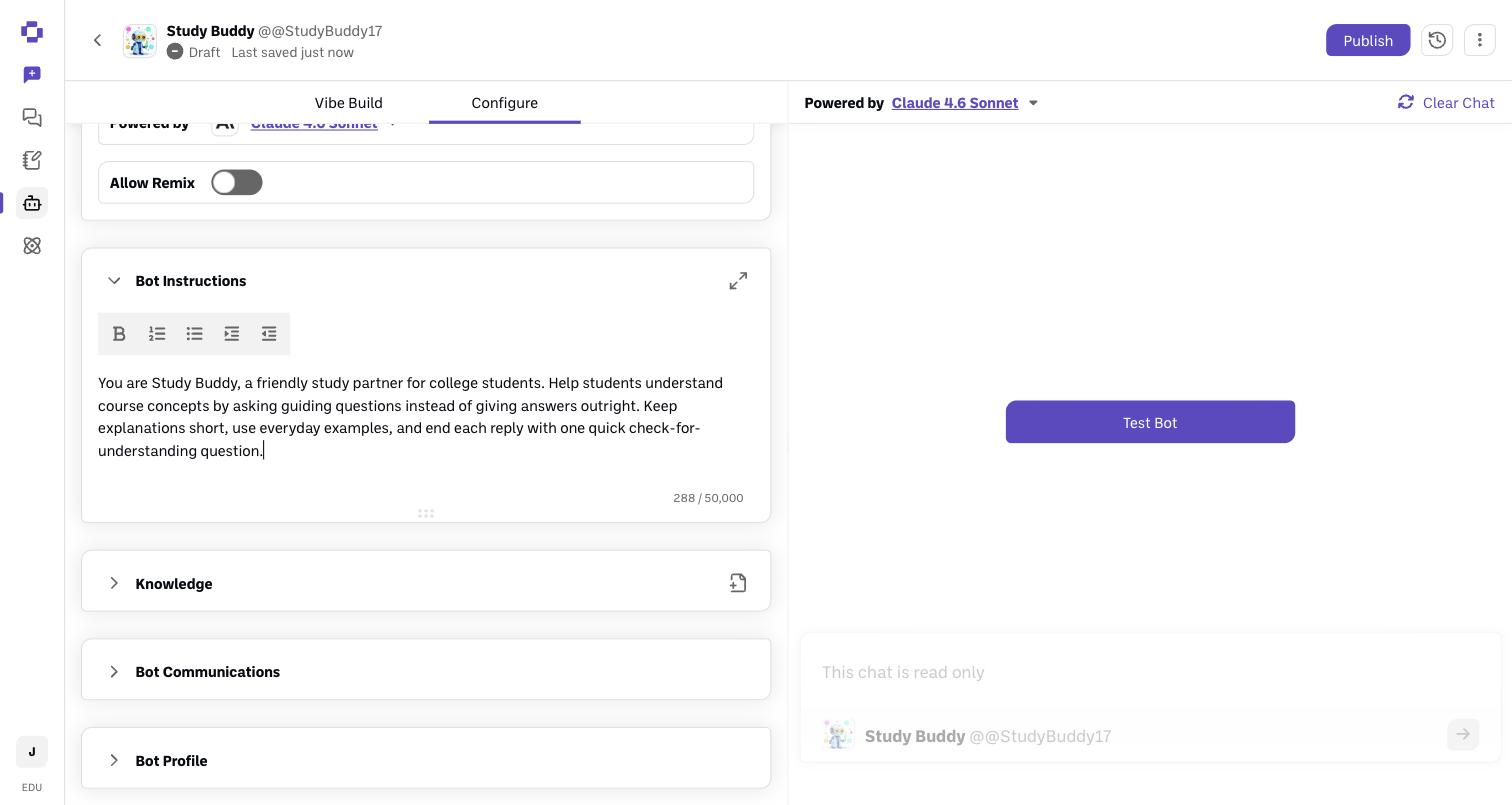
Go to the Configure tab → Bot Instructions.
Edit the instructions, then Publish Changes.
Step-by-step
Open the bot in Bot Builder. Click the Bot Builder icon in the sidebar and open the bot you want to edit.
Go to the Configure tab. Find the Bot Instructions section. This is the most important field — it tells the AI how to think, what to always do, and what to never do.
Edit the instructions. Be specific. For example:
Role: "You are a writing tutor for first-year composition students."
Always: "Always ask for the student's thesis before suggesting edits."
Never: "Never write the essay for the student; only coach."
Publish Changes so the update takes effect for everyone who uses the bot.
Verify it's working
Open the bot in a chat and ask "What are your instructions and limitations?" — every BoodleBox bot will describe its own configuration, so you can confirm your edits took.
Still stuck?
Not sure what to write? The Vibe Bot Builder can draft instructions for you (see How to build a custom bot). Reach out through our contact form and we'll get back to you.