
How to use your Knowledge Bank
Goal
Store files — PDFs, documents, spreadsheets, images — so the AI can read and use them. Upload a file once, then attach it to any chat.
Quick path
Open the Knowledge Bank from the left navigation.
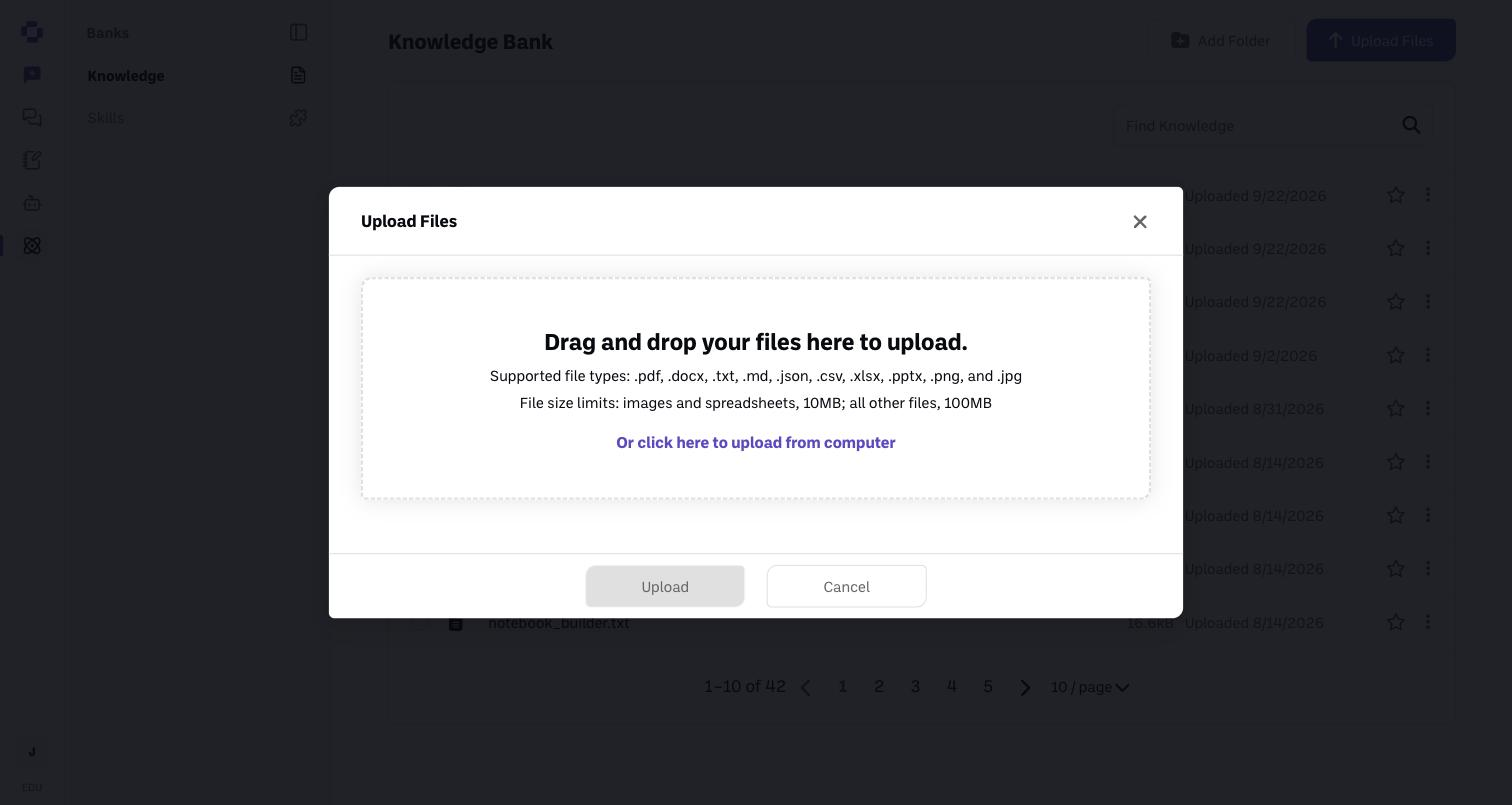
Click Upload Files and add your files.
Organize with folders and find files with search.
Step-by-step
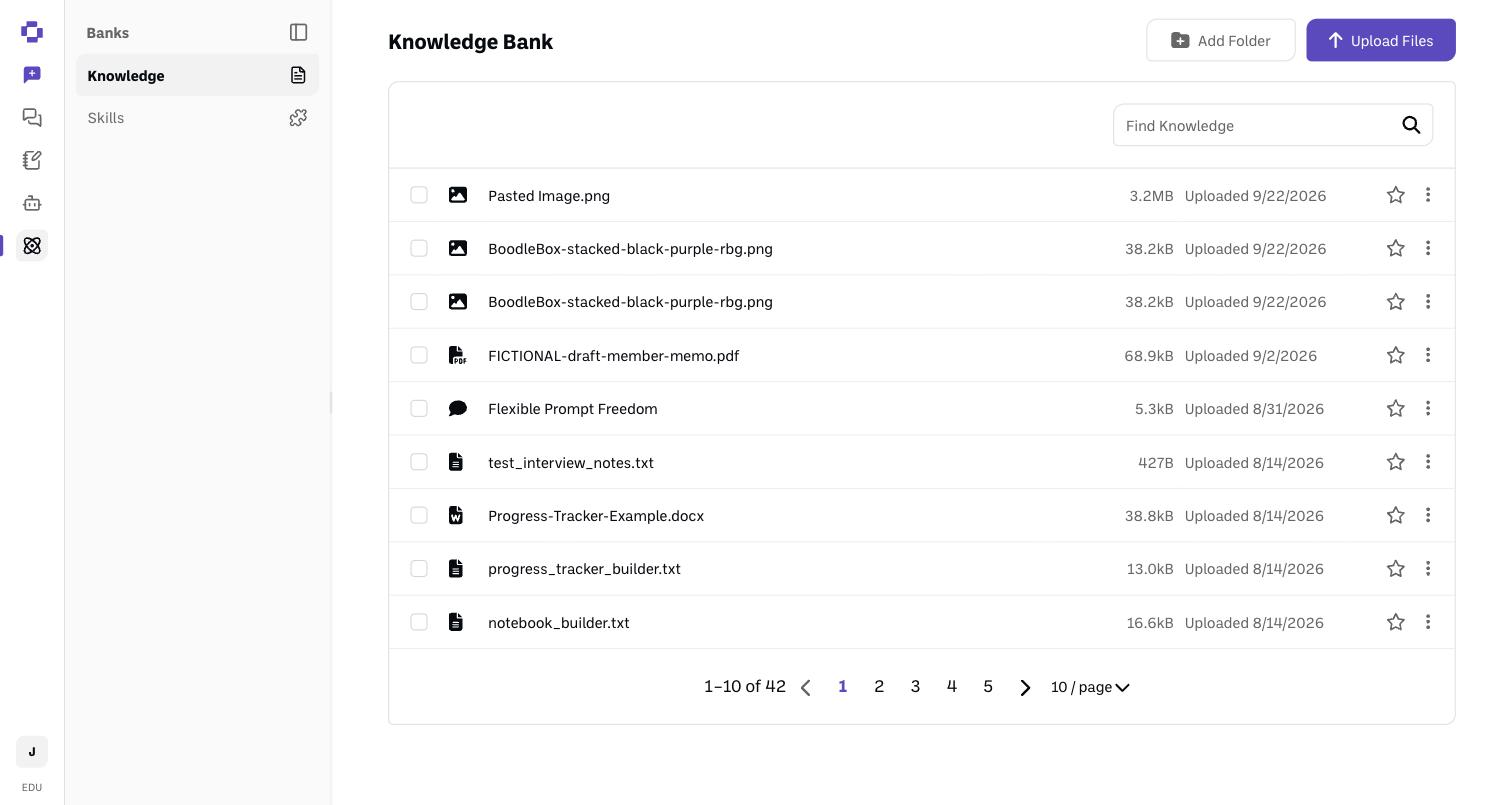
Open the Knowledge Bank. You'll see your files, a search box, and buttons to Upload Files and Add Folder.
Click Upload Files. Drag your files into the box, or click to choose them from your computer. Supported types: .pdf, .docx, .txt, .csv, .xlsx, .pptx, .png, .jpg, .json, .md (images and spreadsheets up to 10MB, other files up to 100MB).
Organize and find. Use Add Folder to group related files, and Find Knowledge to search.
Your Knowledge Bank and Boxes
Adding a Knowledge Bank file to a Box makes a copy. The original stays in your Knowledge Bank, untouched. See How to add knowledge to a Box.
Files uploaded straight into a Box live in that Box, not in your Knowledge Bank folders.
Starred files don't attach to Box chats. In a Box, the Box's own files take their place.
Verify it's working
After upload, the file appears in your list (it's analyzed first, with a progress indicator).
Still stuck?
Star a file to auto-attach it to every new chat outside Boxes — handy for a style guide or syllabus. Starred files count toward each chat's document limit (10, or 100 on Boodle Power), so star only what you want in every chat. Reach out through our contact form and we'll get back to you. (See also How to attach knowledge to a chat.)