
How to use prompt modes (Coach, Comment, Memory, Knowledge to Context)
Goal
Change how the AI behaves in a chat by switching prompt modes on or off. You can combine them.
Quick path
In the chat input, click Set prompt mode.
Toggle the modes you want — or trigger Comment Mode inline by starting your message with --.
Step-by-step
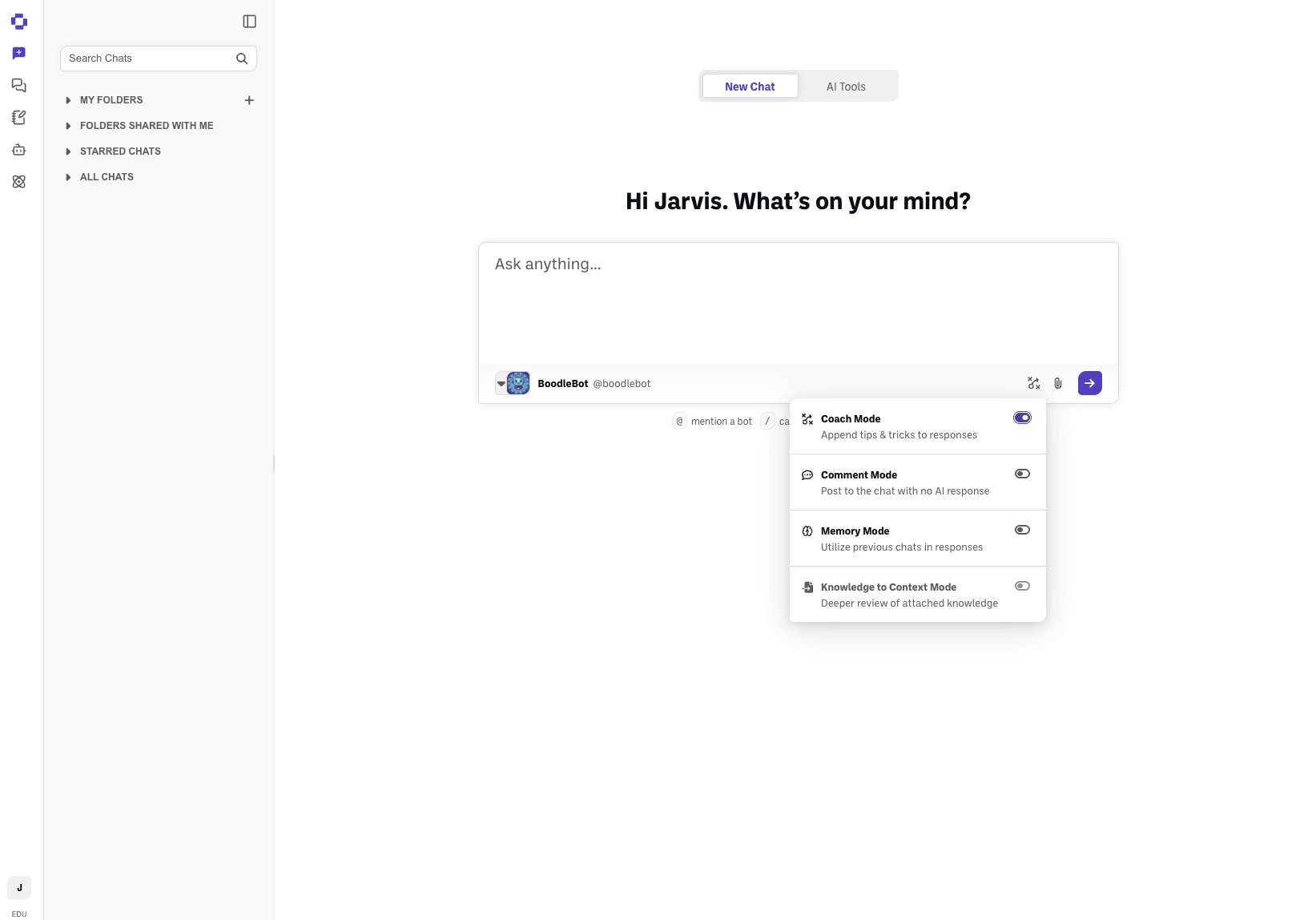
Click Set prompt mode near the bottom-right of the chat prompt box. A panel opens listing the four modes.
Switch on the ones you want:
Coach Mode — appends tips & tricks to the AI's responses. These are tailored to your User Type, so the coaching a student gets is pitched differently from what a faculty member or someone on Workforce gets. You can change your User Type in Personal Settings → Preferences — see How to use AI Tools.
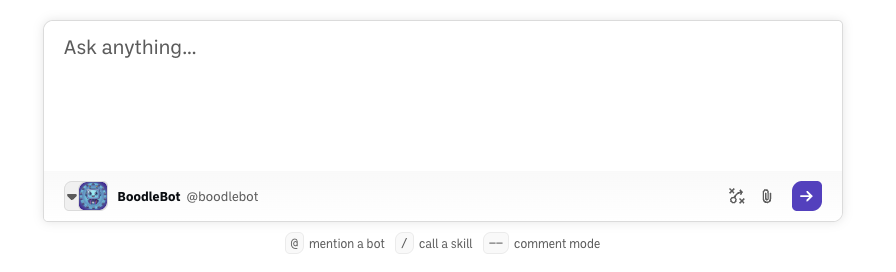
Comment Mode — skips the bot and posts your text as a plain message in the chat, with no AI response (handy in shared chats). You don't need to open the panel for this one: start your message with -- (two hyphens) and send it — the bot name in the composer shows struck through to confirm no reply is coming.
Memory Mode — lets the AI use your previous chats when it answers. In a Box, Memory Mode isn't offered: Box chats draw on the Box's other chats on their own. See How chats work inside a Box.
Knowledge to Context Mode — loads your attached documents in full, up front. BoodleBox already turns this on automatically whenever your request calls for it, so most people don't need to touch it. Prefer to start a chat already in full-document mode? You can still switch it on yourself. Available once the chat has knowledge attached. See How BoodleBox reads your documents.
Good to know
-- is only for Comment Mode. Coach, Memory, and Knowledge to Context don't have an inline text trigger — toggle those from the Set Prompt Mode panel.
/ is reserved for Skills (see How to create and use Skills), not for switching prompt modes.
Verify it's working
The modes panel shows which modes are active, and the input's mode indicator reflects your choices.
Still stuck?
Modes can be combined — for example, Coach + Memory at once. Reach out through our contact form and we'll get back to you.